Supplier Dashboard
The Dashboard is the page you land on after signing in. Home is a separate task-feed page, first in the sidebar.
The Supplier Dashboard gives you an immediate view of your submission activity and any open data requests that require action.
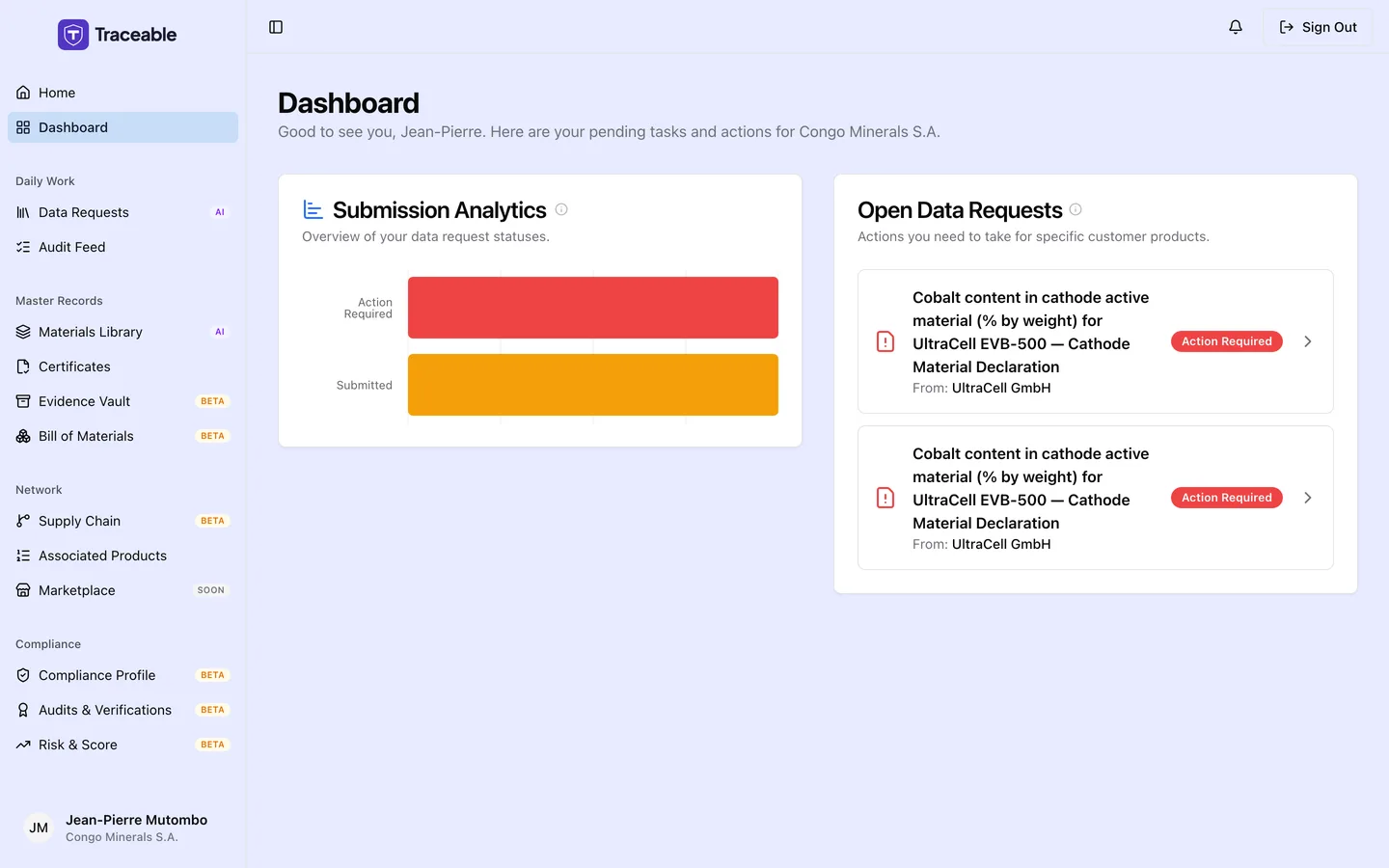
The Supplier Portal dashboard.
Dashboard Layout
The dashboard is a two-card layout:
- Submission Analytics (left), a chart showing the breakdown of your data request statuses
- Open Data Requests (right), a list of requests that currently need your attention
Submission Analytics
The Submission Analytics card shows a horizontal bar chart with the count of data requests in each state:
| State | Meaning |
|---|---|
| Action Required | Requests sent by a customer that you have not yet responded to |
| Submitted | Requests you have completed and submitted back to the customer |
This chart gives you a quick read on how many requests are outstanding versus resolved. If you have no data requests yet, an empty state message is shown.
Open Data Requests
The Open Data Requests card lists your pending requests. Each open request is a row showing the first requested field "for" the product, then "From:" and the customer, and a status badge. The list shows only your pending requests, so the badge always reads Action Required. There are no column headers.
Clicking any row takes you to the full data request detail page, where you can review the fields being asked for and submit your response.
If you have no open requests, the card shows a confirmation message. New requests from your customers appear here automatically when they are created.
Navigating from the Dashboard
Use the sidebar to access all areas of your portal:
- Data Requests: full list of all requests, including completed ones
- Materials Library: your material library
- Certificates: your compliance certificates
- Settings & Profile: your company details and settings