Auditor Profile
Your auditor profile records your professional details on Traceable. When you submit a decision, it is written to the audit trail against your account.
Select Auditor Profile in the left sidebar to view and update your profile.
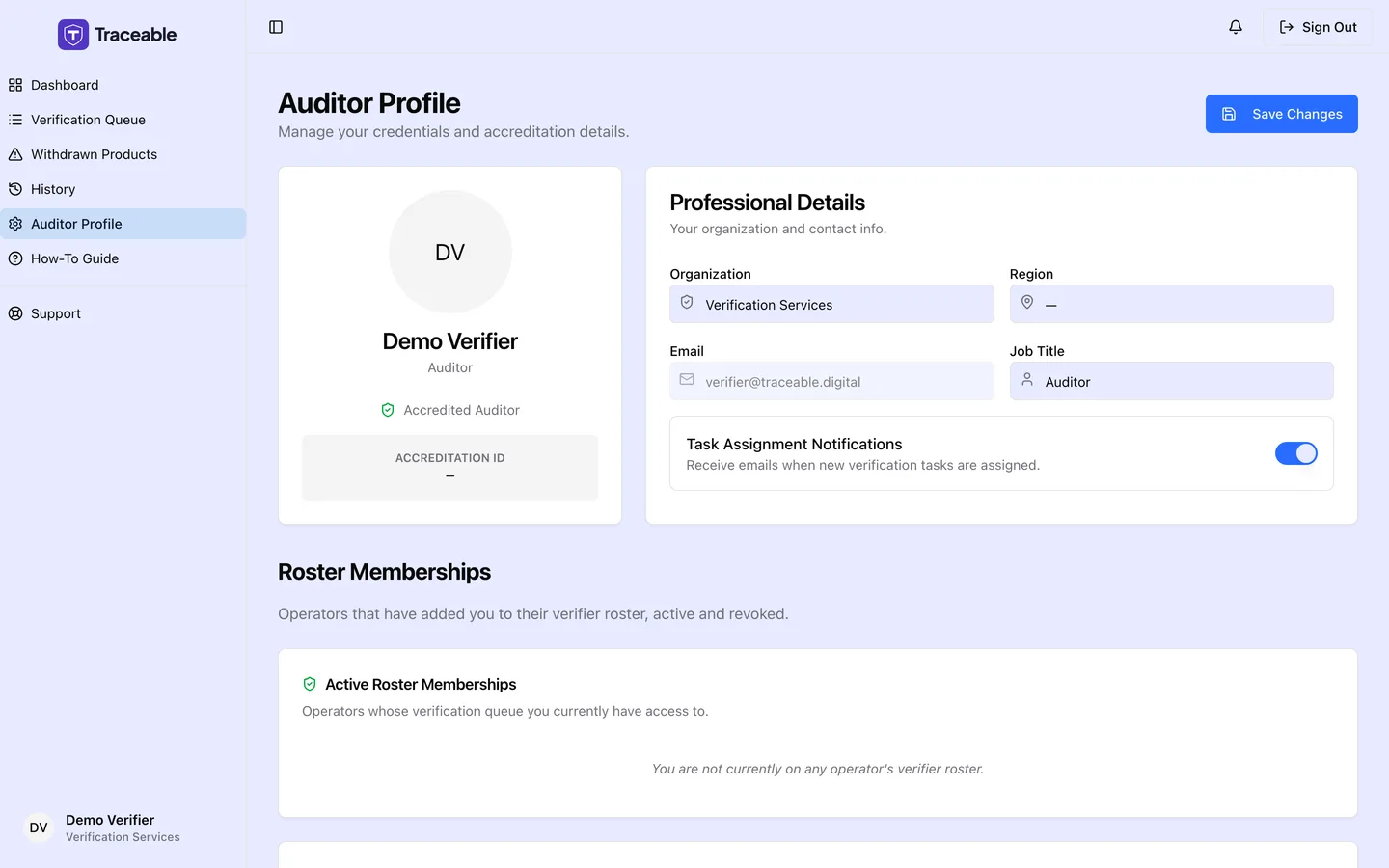
The auditor profile.
Profile Fields
The page title is "Auditor Profile". Under Professional Details you can edit Organization, Region and Job Title. Email is shown but cannot be changed; contact support to change it. Your name and Accreditation ID are displayed in the card on the left and cannot be edited on this page.
Select Save Changes (top right of the page) to apply your changes. A "Profile Updated" message confirms it.
The Task Assignment Notifications switch is labelled "Receive emails when new verification tasks are assigned." The switch is saved, but the portal does not currently send assignment emails.
Roster memberships
Below the profile, Roster Memberships lists the operators that have added you to their verifier roster. Active Roster Memberships ("Operators whose verification queue you currently have access to") and Revoked Memberships ("Archive of operators who have removed you from their roster. Retained for audit purposes.") show each operator, the date added and, for revoked ones, the date revoked. The lists are read-only.
Contact Support
For account-level changes that cannot be made from the profile, including changing your login email address, contact Traceable support:
- Email: support@traceable.digital
- Response time: within 1 business day