Home
Home is the first item in the Supplier Portal sidebar. It is a task feed that pulls your actionable items across all of your customers into one place, so you can see what needs your attention without hunting through the portal. After you sign in at app.traceable.digital you land on the Dashboard. Select Home in the sidebar to open this page.
The Dashboard is available from the sidebar and from the Switch to legacy dashboard link on Home.
Throughout Traceable, a customer is a company you supply to, the battery manufacturer or product company that sends you data requests. Home aggregates work across every customer you are connected to.
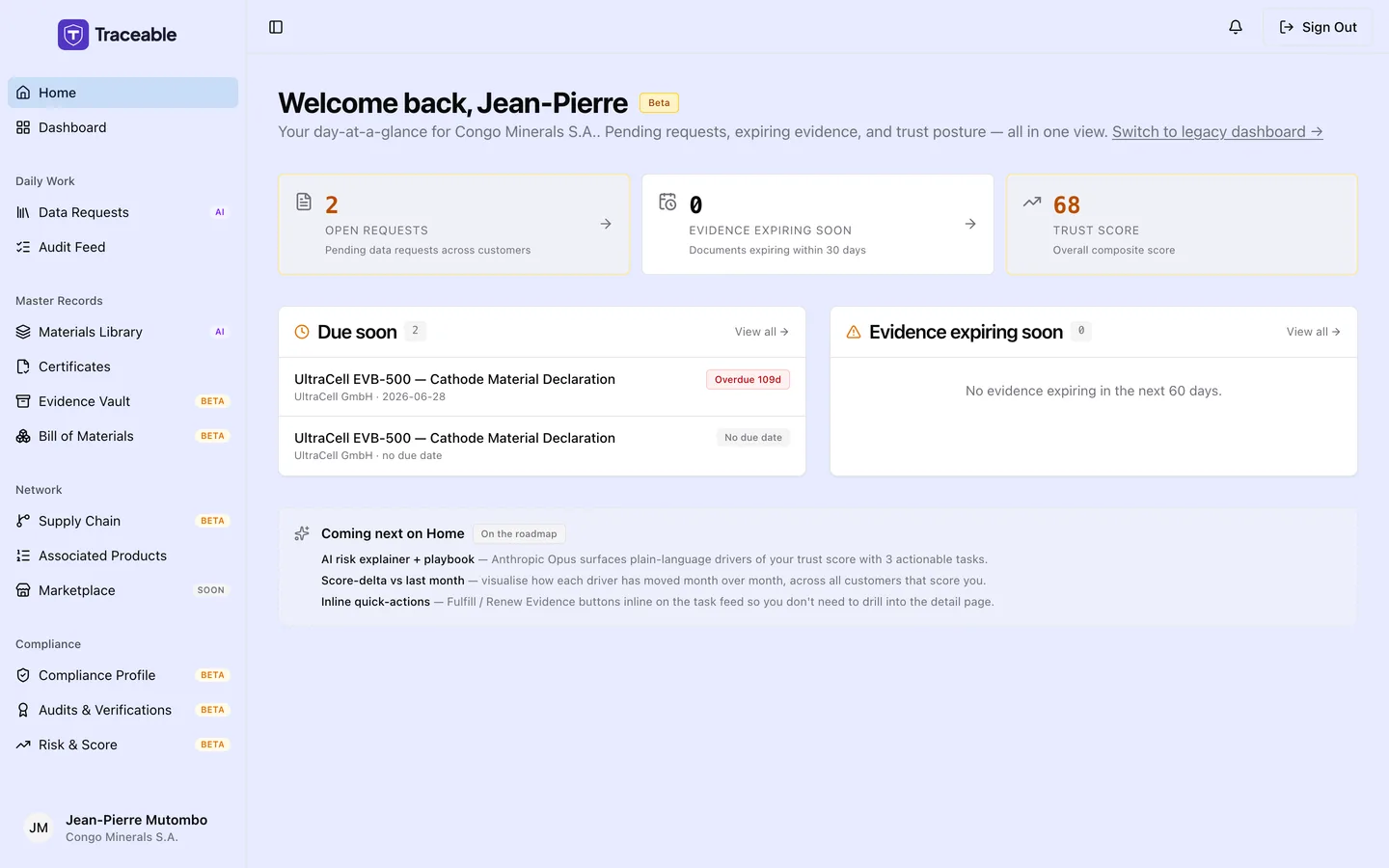
Supplier home.
Welcome Header
Home opens with "Welcome back" followed by your first name, a Beta tag, and a one-line summary for your company.
If you are new to Traceable, a short onboarding checklist appears here. It is titled "Get set up on Traceable" and shows a progress bar and three steps: "Complete your company profile", "Upload your first certificate" and "Respond to a data request". The checklist disappears automatically once all three are done.
At-a-Glance Summary
Three cards give you an immediate read on your account:
| Card | What it shows |
|---|---|
| Open requests | The number of pending data requests across all your customers |
| Evidence expiring soon | Documents expiring in under 30 days, including any that have already expired |
| Trust score | Your overall supplier trust score, once a customer has scored you (it shows a dash until then) |
The Open requests and Evidence expiring soon cards link to Data Requests and Certificates. The Trust score card does not link anywhere.
Your Task Feed
Below the summary cards, Home lists the items that need your attention:
- Due soon: your pending data requests, sorted so the most urgent are first. Each row shows the product name, the customer and the due date, plus a chip such as "Due in 3d", "Due today", "Overdue 3d" or "No due date". The list shows up to 5 pending requests, soonest first. Click a row to open the request and respond. If you are all caught up, the list says so.
- Evidence expiring soon: up to 5 documents that expire in under 60 days or have already expired, soonest first, with chips such as "Expires in 12d" or "Expired 4d ago". Each row links to your Certificates so you can upload a replacement.
Home vs. Dashboard
Home is a focused, action-first view of what to do next. The Dashboard is where you land after signing in, with your submission analytics and your open-requests list. Both are in the sidebar.
Related
- Dashboard: submission analytics and open requests
- Data Requests: receive and respond to your customers' requests
- Certificates: upload and manage your compliance documents
- Risk & Score: how your trust score works