Receive a data request
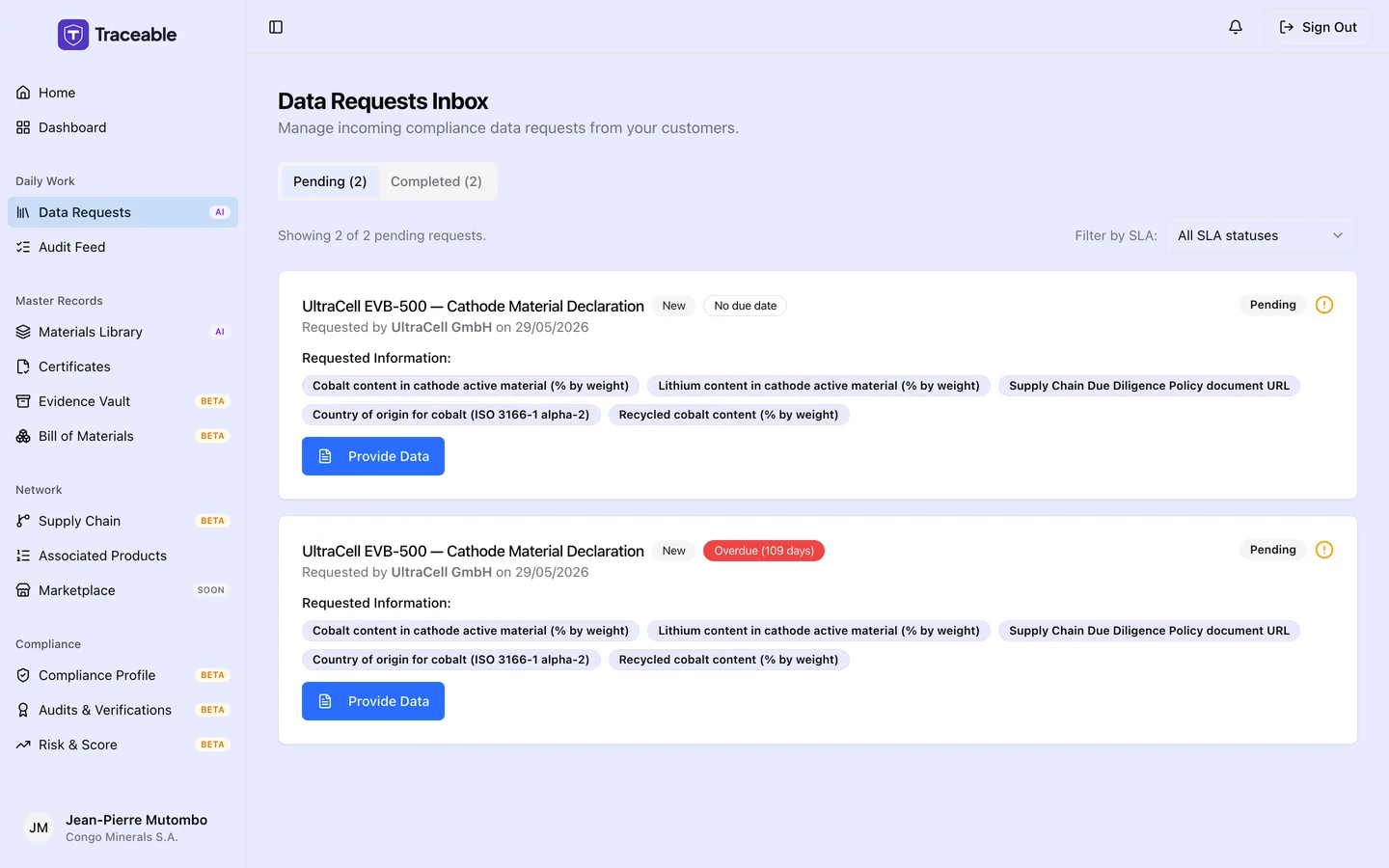
Incoming data requests.
What Is a Data Request?
A data request is a request from a customer (the company that added you as a supplier) for specific data about one of its products.
It is a form in the supplier portal listing the fields the customer wants you to fill in.
How You Are Notified
When a customer sends you a data request, Traceable does two things.
- It emails the contact email address on your supplier record. The subject is "New Data Request from" the customer "for" the product. The body names the product and the number of fields requested, and asks you to log in to your supplier portal, unless you have switched off supply-chain emails.
- It adds an in-app notification titled New Data Request (in the bell menu at the top right) when a user account exists for your supplier.
The request appears in Data Requests under the Pending tab with a New badge, and in the Open Data Requests card on your Dashboard.
The email subject and the inbox card both name the customer.
Open the Request
Open a request from the Open Data Requests card on your Dashboard. Or go to Data Requests in the sidebar and click Provide Data on the request. Completed requests show View Details instead.
The request page is titled Fulfill Data Request while the request is pending. The Request Details card shows the customer name and the product name, the Status, and the Requested date. Once you have answered, it also shows a Responded date.
Under Provide Requested Data, each requested field has its own input. A field marked with a red asterisk is required.
Before You Start
Read the list of requested fields before you start. You cannot save a draft, so have your values ready. If a field is unfamiliar, refer to the Glossary.
If You Do Not Have the Requested Data
If you cannot provide the requested data, you can decline the request.
- Open the request and click Reject Request.
- Enter a Rejection Reason of at least 10 characters.
- Click Confirm Rejection.
The customer is told you declined and sees your reason. You cannot answer a request after you have rejected it.
To answer the request instead, see Respond to a Data Request.