Supply Chain
Supply Chain is currently in Beta. The view is live and shows your active customer relationships. Additional features are planned for a future release.
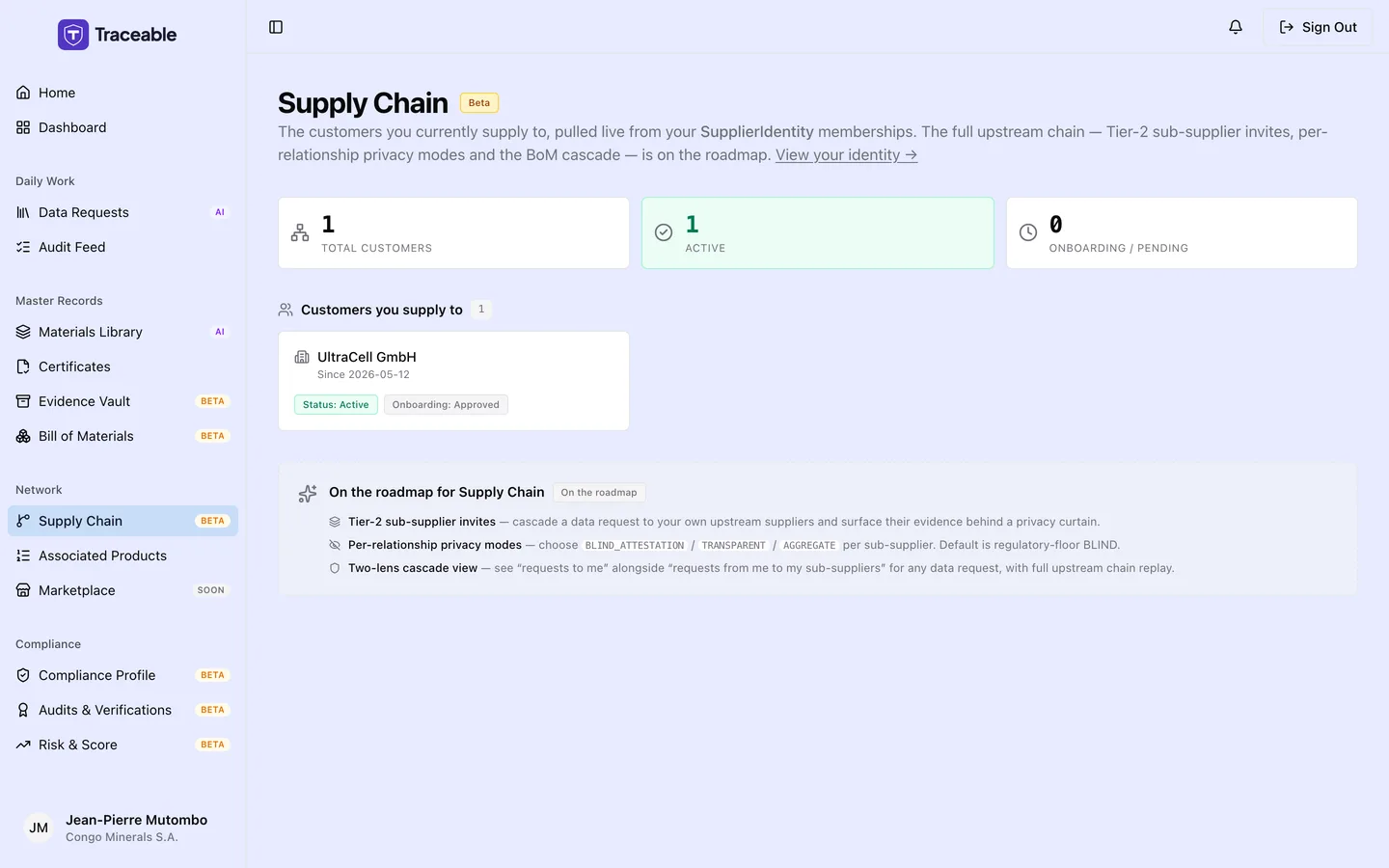
Supply chain.
What the Supply Chain Page Shows
The Supply Chain page gives you a view of the customers you currently supply to on Traceable. Each customer relationship is established when a customer adds you to their supplier network. Navigate to Supply Chain in the left sidebar to access this view.
Summary Cards
At the top of the page, three summary cards show:
| Card | What it shows |
|---|---|
| Total customers | Memberships that have not been revoked |
| Active | Customers with a confirmed, active supply relationship |
| Onboarding / pending | Customers where the membership is in progress but not yet fully confirmed |
Customer Membership Cards
Below the summary, each customer you supply to is shown as a card. Each card shows:
- The customer's company name
- "Since <date>"
- Two tags: "Status: <status>" and "Onboarding: <status>"
There is no progress bar. Statuses are shown as stored, for example Active, Pending, Invited, Onboarding or Suspended. Suspended memberships count in Total customers but in neither of the other two cards.
These memberships determine which customers can send you data requests and which customer products are linked to your material and certificate records.
Relationship to Your Work
Your customer memberships define the scope of your activity on Traceable:
- Evidence sharing: documents you upload can be scoped to specific customer memberships
If a customer is missing from this page, contact that customer.
Coming in a Future Release
Planned additions to the Supply Chain page include:
- Tier-2 supplier invites: invite your own upstream suppliers to join Traceable and connect them to your supply chain view
- Privacy modes: control which supply chain details are visible across customer memberships
- Two-lens cascade view: see your position in the supply chain from both the upstream (inputs) and downstream (customers) perspectives simultaneously
Related
- Profile: your supplier identity and membership overview
- Data Requests: requests from customers in your supply chain
- Evidence Vault: compliance documents shared across your memberships