Support
The Support page is where verifiers get help, report issues, and find answers to common questions. You reach it from the Verifier portal sidebar.
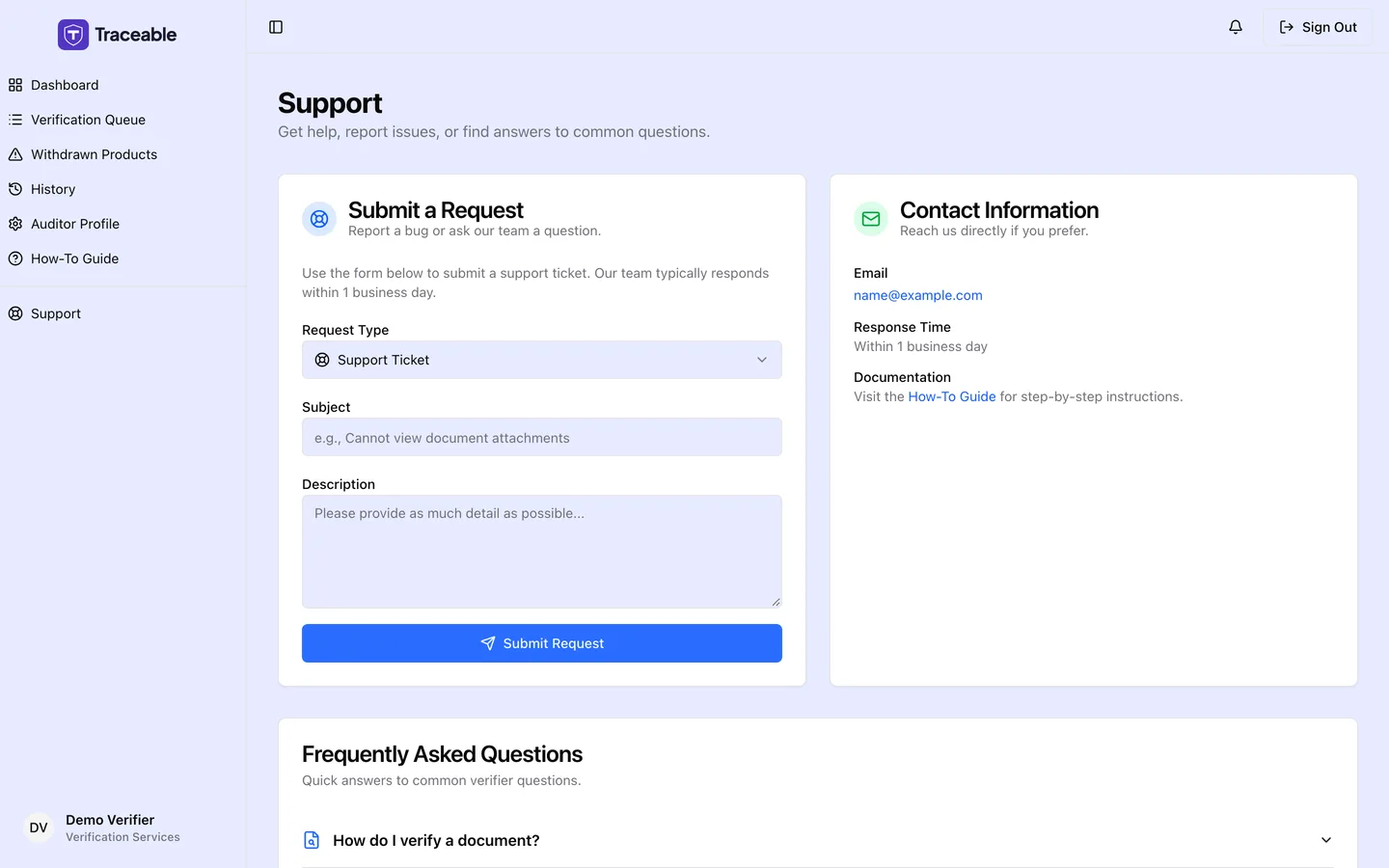
Verifier support.
Submit a request
The Submit a Request form sends a ticket directly to the Traceable team. It has three fields:
- Request Type: choose Bug Report or Support Ticket.
- Subject: a short summary (at least 5 characters).
- Description: the detail (at least 20 characters).
Submit the form and you receive an on-screen confirmation. The team typically responds within one business day.
Contact information
If you prefer to reach the team directly, the page also lists:
- Email: support@traceable.digital
- Response time: within one business day
- Documentation: a link to the verifier How-To Guide for step-by-step instructions
Frequently asked questions
The page includes an FAQ covering the most common verifier questions:
- How do I verify a document? Open the Verification Queue, click Review on a pending task, review the document against the claim, then approve or reject with your findings.
- What happens when I approve or reject a submission? Approvals mark the document as Verified. Rejections require a reason, which is sent back to the submitting company so they can correct the issue.
- How long do I have to review a task? There is no strict deadline, but timely reviews help companies publish sooner.
- Where can I learn more? The How-To Guide covers navigating the queue, reviewing documents, and submitting verdicts.
Related
Was this page helpful?