Verification history
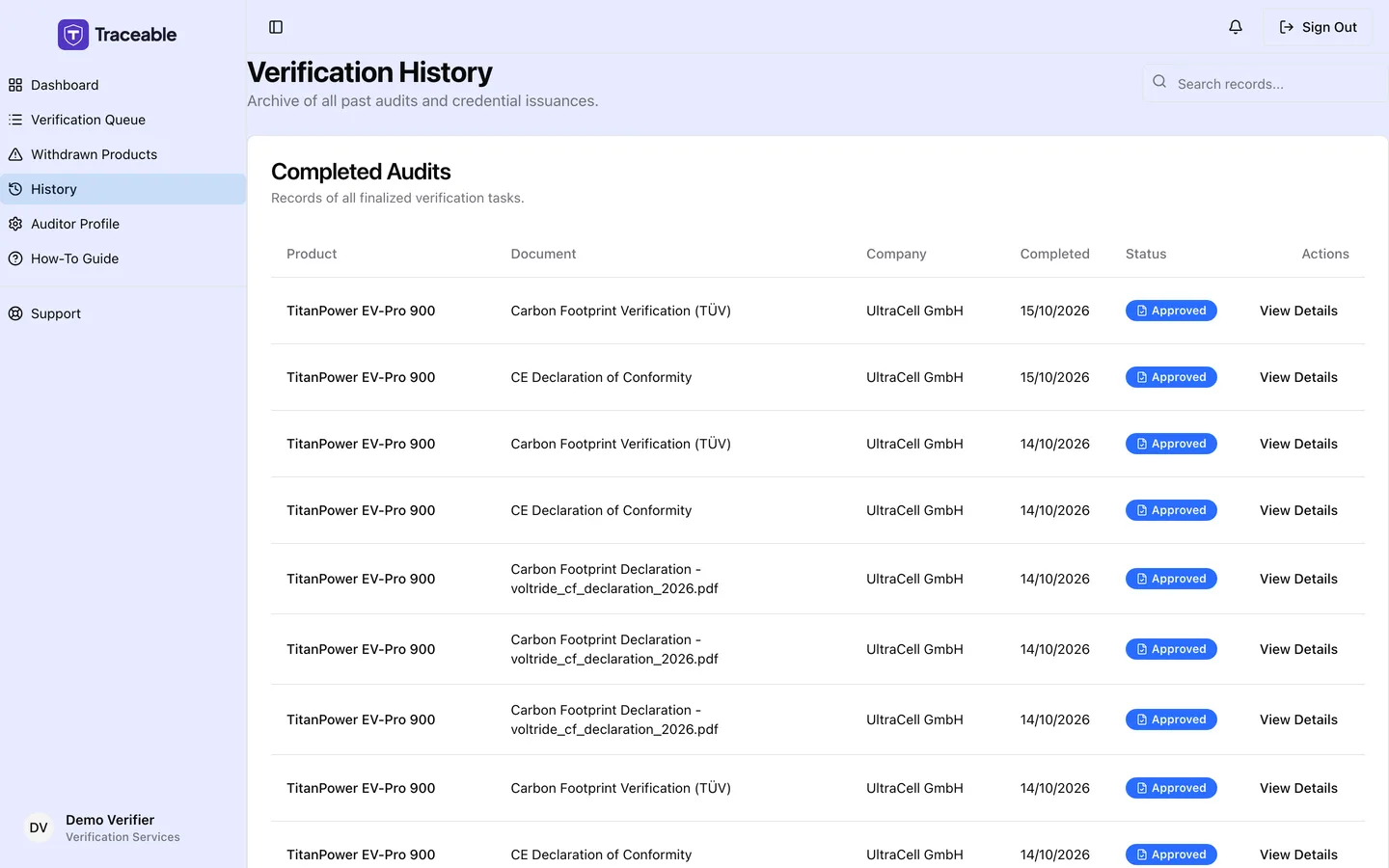
Verification history.
Accessing Your Complete Decision History
Select History in the left sidebar. The page is titled "Verification History". It lists the decisions you made yourself, newest first. It does not list approvals made by an administrator.
What Each History Entry Shows
| Column | Description |
|---|---|
| Product | The battery product the DPP relates to |
| Document | The document that was reviewed |
| Company | The operator the task came from |
| Completed | The date you submitted your decision |
| Status | Approved or Rejected, displayed with a colour indicator |
| Actions | Button to view the full task detail |
Click View Details on any row to open the task in read-only form: the document you reviewed, the product data, the claim and, for a rejection, the rejection reason. The decision buttons are not shown on a completed task.
When you have no decisions yet, the page shows "No completed verifications yet." When a search matches nothing, it shows "No results match your search."
Searching Your History
Use the Search records... box at the top of the history page to filter your records. Search by product name, company name, or document name.
Why Your History Matters
Your verification history is more than an administrative record. It is your professional ledger, an account of every claim you have assessed and every decision you have issued.
For the audit trail: Your decisions are written to the product's audit trail.
For your own quality assurance: Reviewing past rejections helps you identify whether your standards are being applied consistently over time.
Editing a Past Decision
Past decisions cannot be edited. Once a decision is submitted and confirmed, it is written to the DPP audit trail and cannot be reversed or amended through the Verifier Portal.
If you submitted a decision in genuine error, for example, clicking Approve on the wrong task, contact Traceable support at support@traceable.digital with:
- Your account email
- The product and document name
- A description of the error
Support will assess the request on a case-by-case basis. Corrections to records require documented justification and are processed with oversight.