Dashboard
The dashboard is the first screen you see when you log in to the Company Portal. Under a greeting and your company name it shows two rows of status cards and a Needs you card that lists the things someone has to act on.
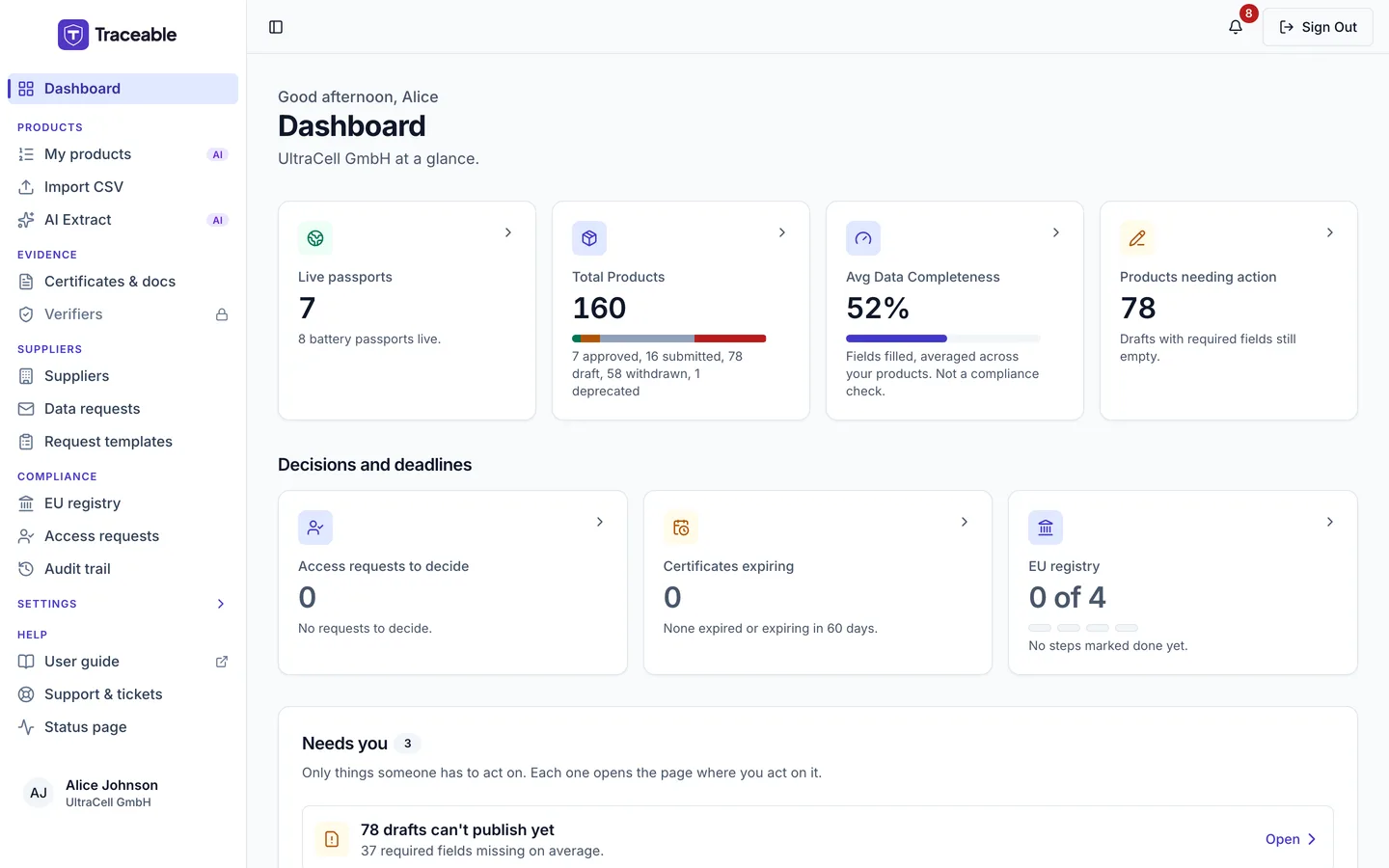
The Company Portal dashboard.
Onboarding Checklist
If you have just created your account, the dashboard shows an Onboarding Checklist. It has four steps, and each one is ticked from your own data, not from visiting a page:
- Add your company details: legal name, VAT or registration number and address, and your brand's operator role on the Branding page.
- Add your GS1 company prefix: Traceable checks your product GTINs against it.
- Add your first product: use the product wizard, a CSV file or AI extraction.
- Publish your first passport: publishing a product makes its passport public.
Each step links to the place where you complete it. While you have no products, the checklist is the whole page. Once you have a product, the standard dashboard appears and the checklist stays at the top until all four steps are done or you dismiss it.
Status Cards
The status cards are in two rows. Each card is a link to the part of the portal where you can act on it. Total Products and Avg Data Completeness appear at once and the other cards load a moment later. If a card cannot be read it shows an error state, never a zero, because a zero would tell you something the platform does not know.
Row 1: your portfolio
| Card | What it shows |
|---|---|
| Live passports | The number of your live (not test) products whose public passport is live now, with the number of battery passports (one per unit) under them. Only approved products of an active company count; withdrawn and deprecated products and those of a suspended company are left out, even though their passports stay online |
| Total Products | All your products, with a breakdown by status (for example "7 approved, 11 submitted, 295 draft") and a coloured bar. The statuses are Approved, Submitted, Draft, Withdrawn, Revoked and Deprecated; a status with no products is left out |
| Avg Data Completeness | The share of fields filled in, averaged across your products. It is not a compliance check, and a low number is a to-do, not an alarm |
| Products needing action | Draft products with at least one empty field that blocks publishing today. Above 200 drafts the card shows "200+" |
Row 2: decisions and deadlines
| Card | What it shows |
|---|---|
| Access requests to decide | Requests for restricted passport information that have verified their email and wait for your decision. Only team Admins see this card, and it opens the access requests list. See Access requests |
| Certificates expiring | Documents whose expiry date has passed or falls within the next 60 days, split into "expired" and "expiring in 60 days". It opens Certificates & docs |
| EU registry | The preparation steps you have marked done on the EU registry page, for example "2 of 4", with one dot per step. The count is what you marked, not something the platform has verified. See EU registry readiness |
Needs you
The Needs you card sits below the status cards. Its description reads "Only things someone has to act on. Each one opens the page where you act on it." A badge beside the title shows how many items there are. The checks run each time the page loads, from your account data. Each item has a button that opens the page where you act on it.
There are seven checks. Two of them are shown only to some roles.
| Item | Shown when | Button |
|---|---|---|
| N drafts can't publish yet, with "N required fields missing on average." | One or more Draft products have at least one empty field that blocks publishing today. Above 200 drafts the count reads "200+" | Open, which opens My products filtered to Drafts |
| N passports waiting for your approval, with "Review each one, then approve it or send it back." | One or more products are Submitted. Only team Admins and Approvers see this item | Review, which opens My products filtered to Submitted |
| N certificates expire in 30 days, with "Upload the renewed documents before they expire." | One or more documents have an expiry date in the next 30 days. Documents that have already expired are not listed here | Open, which opens Certificates & docs |
| N supplier requests overdue, with "Oldest: " followed by the supplier and the days overdue | One or more pending data requests you sent are past their due date | Open, which opens the data requests |
| N access requests to decide, with "Approve or reject each request." | Requests for restricted passport information wait for a decision. Only team Admins see this item | Decide, which opens the access requests. See Access requests |
| N rejected by the EU registry, with "See the reason on the EU registry page, then submit again." | One or more of your registrations were rejected by the registry | Fix, which opens the EU registry page. See EU registry readiness |
| N products missing the carbon footprint declaration now in force | A battery product has no total carbon footprint and the declaration is already required for its category (EU Battery Regulation Art. 7(1)). Declarations that are not yet in force raise nothing | Fix, which opens My products |
Below the items, a folded line reads "N checks passed" with the time the checks ran. Open it to see a line for each check that found nothing, such as "Drafts: nothing to act on".
If every check finds nothing, the card reads "None of the checks found anything to act on."
If a check cannot run, the card shows "We couldn't run the checks" instead of a list. It says "So we can't tell you what needs attention right now. This does not mean everything is fine." It has a Try again button and a reference, "Ref" followed by a code, to quote if you contact support.
What is Not on the Dashboard
The dashboard has no activity feed. For a chronological record of actions on your account, use the Audit Trail.