Audit trail
Security-relevant actions are recorded in an audit trail, and the records are linked by a hash chain.
The audit trail helps you see who changed what and when.
Open Audit trail in the Compliance group of the sidebar. It needs the Audit Trail & Reporting module. The page is headed Audit trail, with the subtitle "A complete, tamper-proof record of all actions taken by your organization."
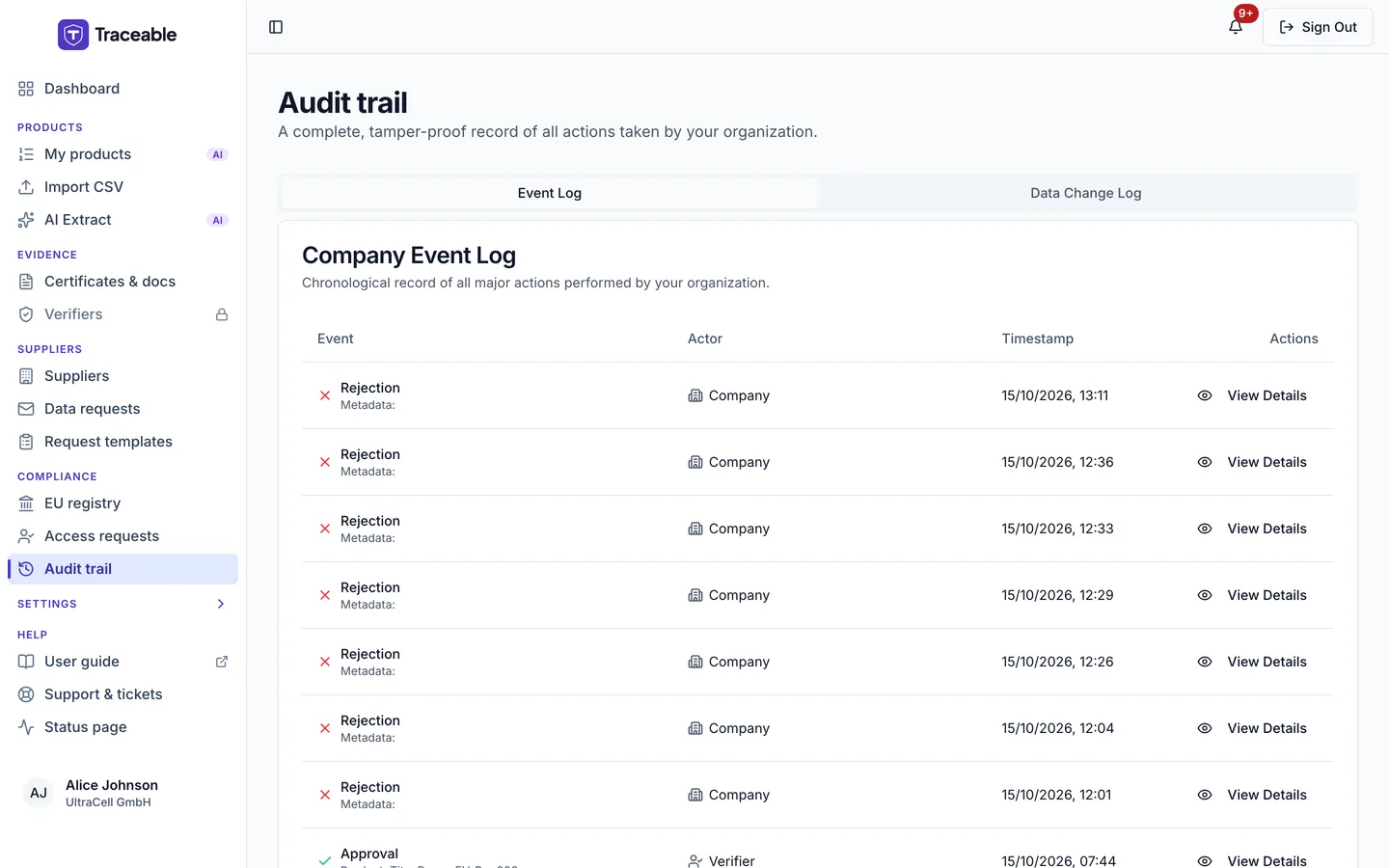
The audit trail.
The two tabs
The page has two tabs, Event Log and Data Change Log. Each shows up to the 500 most recent entries, newest first. There are no filters or search.
Event Log
The Company Event Log table has these columns:
- Event: the event type (for example Create, Update, Approval), with the type and name of the affected item.
- Actor: the role and the identifier of whoever acted, in brackets. The identifier varies by action, so it is not always a name or email.
- Timestamp
- Actions: View Details.
View Details opens Log Event Details with Event Type, Product, Timestamp, Actor Role, Actor ID, Channel and an Event Context list. Event Context shows the technical action name.
With no entries, the tab says "No audit events yet. Events will appear here as you create products and perform actions."
Data Change Log
The Product Change Log table has the columns Product, Changed By, Change Reason, Timestamp and Actions (View Changes). View Changes opens Product Change Details. It shows each changed field with the old value struck through, an arrow, and the new value, then the change reason.
With no entries, the tab says "No product changes recorded yet. Changes will appear here when products are updated."
Timestamps are shown as day, month and year with hours and minutes, in your browser's time zone.
What the audit trail captures
Recorded events include the following.
Product and DPP events
- Product created
- Product updated (these also appear in the Data Change Log)
- DPP published
- DPP corrected after publication
- Product withdrawn
- Product deprecated
- Draft product deleted
- Edit window opened or cancelled
Document events
- Document uploaded
- Document deleted
Supplier events
- Supplier invited, including a quick invite from a product's Traceability page
- Data request created
- Data request fulfilled
- Data request rejected (the supplier declined)
- Data request response approved or rejected by your team
Verification events
- Verification task created
- Verification requested
- Verification task approved or rejected
- Verifier added to or revoked from your roster
Account and user events
- Team member invited, role changed or removed
- Company branding updated
Document AI events
- AI processing consent granted or revoked
- Batch AI processing events
AI events record field keys and counts, never the values.
Retention policy
Audit trail records are kept for one year. Records that support published passports and regulatory filings are kept for longer.
Audit records are retained when an account is erased. Personal data in them is redacted when an erasure is completed.