Checks
The Checks tab of the product page holds four AI checks. They used to sit in a menu on the product list. Each one reads data you have already entered and gives you an indicative reading. None of them changes the passport or its status.
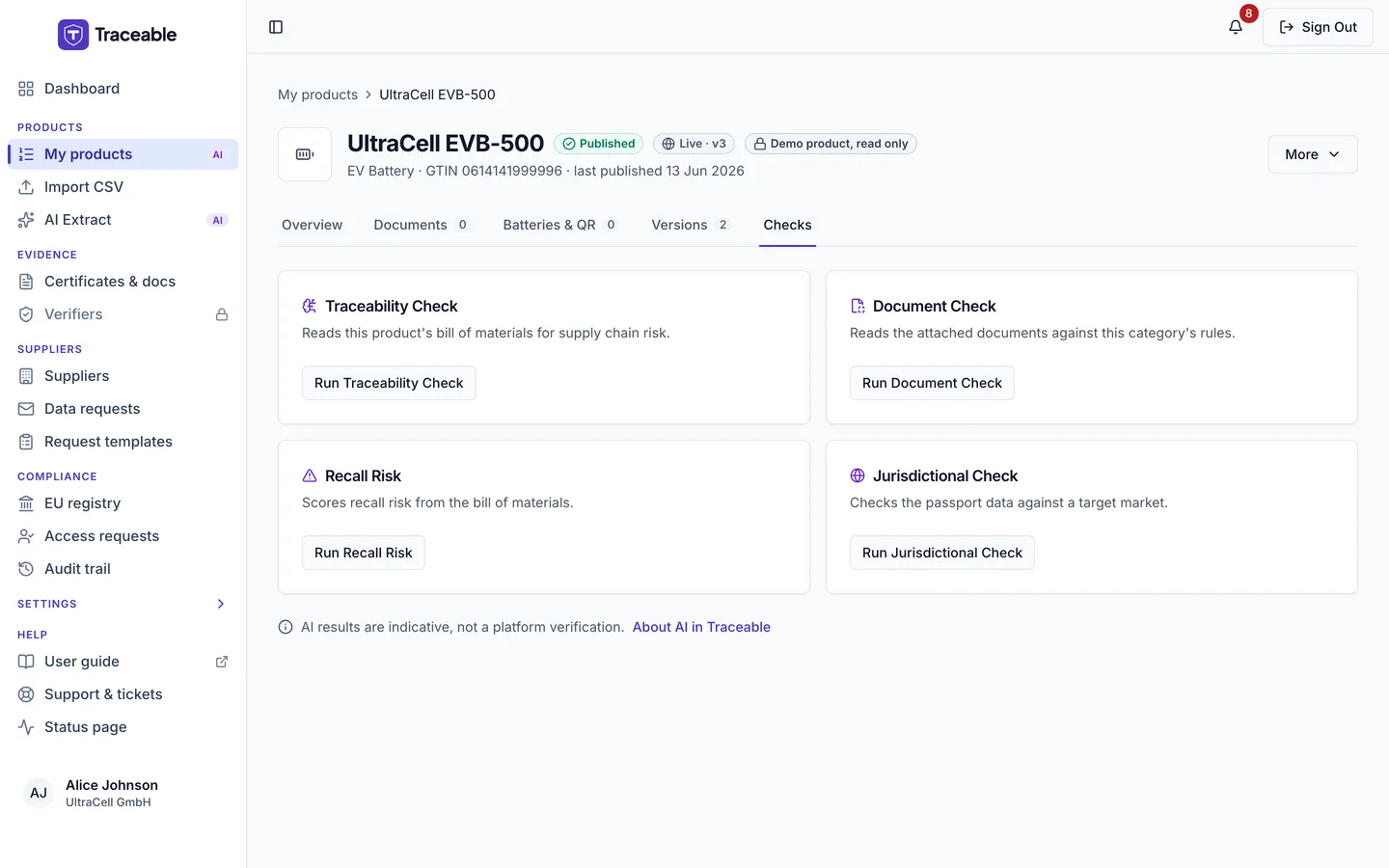
The Checks tab.
When the tab is available
The tab needs the View DPPs & Products module first.
| Condition | What you see |
|---|---|
| Your company has the AI Product Autofill module, and the product is a Draft, Submitted or Approved | The four checks |
| Your company does not have the module | A card, "AI checks are not part of your plan", which says the AI Product Autofill module adds these checks and to ask your company admin about adding it |
| The product has another status | A card, "No checks for a <status> product", which says AI checks run on drafts, products in review and published passports |
The first time you run a check, a consent prompt can appear. See About AI.
The four checks
Each check is a card with a Run button named after it.
| Check | What it reads | Result dialog |
|---|---|---|
| Traceability Check | The product's bill of materials, for supply chain risk | "AI Traceability Analysis". It shows an "Overall Risk Level", the identified issues and a recommendation for each. |
| Document Check | The attached documents, against the rules of the product's category | "AI Document Compliance Report". It shows an overall status and one row per rule. |
| Recall Risk | The bill of materials, scored for recall risk | "AI Recall Risk Analysis". It shows an "Overall Risk Score" out of 100 and the contributing factors, each with a severity. |
| Jurisdictional Check | The passport data, against a target market | "AI Jurisdictional Compliance Check" |
For the Jurisdictional Check, first choose the Target Jurisdiction in the dialog: European Union (EU), United States (USA) or China. Then select Run Check. The result says either "Appears Compliant for <market>" or "Issues Found for <market>", with a report and any missing requirements.
Every result ends with a notice that the assessment is generated by AI and is indicative, not a compliance certification, regulatory determination, or legal advice. The tab itself says "AI results are indicative, not a platform verification." Treat a result as a prompt to look, not as a decision. The platform's own readiness check, on the Overview tab and in the editor, is separate. See Publish a DPP.
When a check does not run
- If a check fails, a toast reads "AI Check Failed" with the reason.
- If your company has reached its monthly AI usage limit, the Recall Risk check does not run, and the toast reads "AI Limit Reached". Contact your admin to increase the limit.
- If you withdraw your AI consent, the check asks for it again before it runs.