End of life
The End of life page records what happens to the individual batteries of a published product: whether one is re-used, repurposed, remanufactured, handed over as waste or recycled. It also lets a company admin give a waste operator a written mandate for the product.
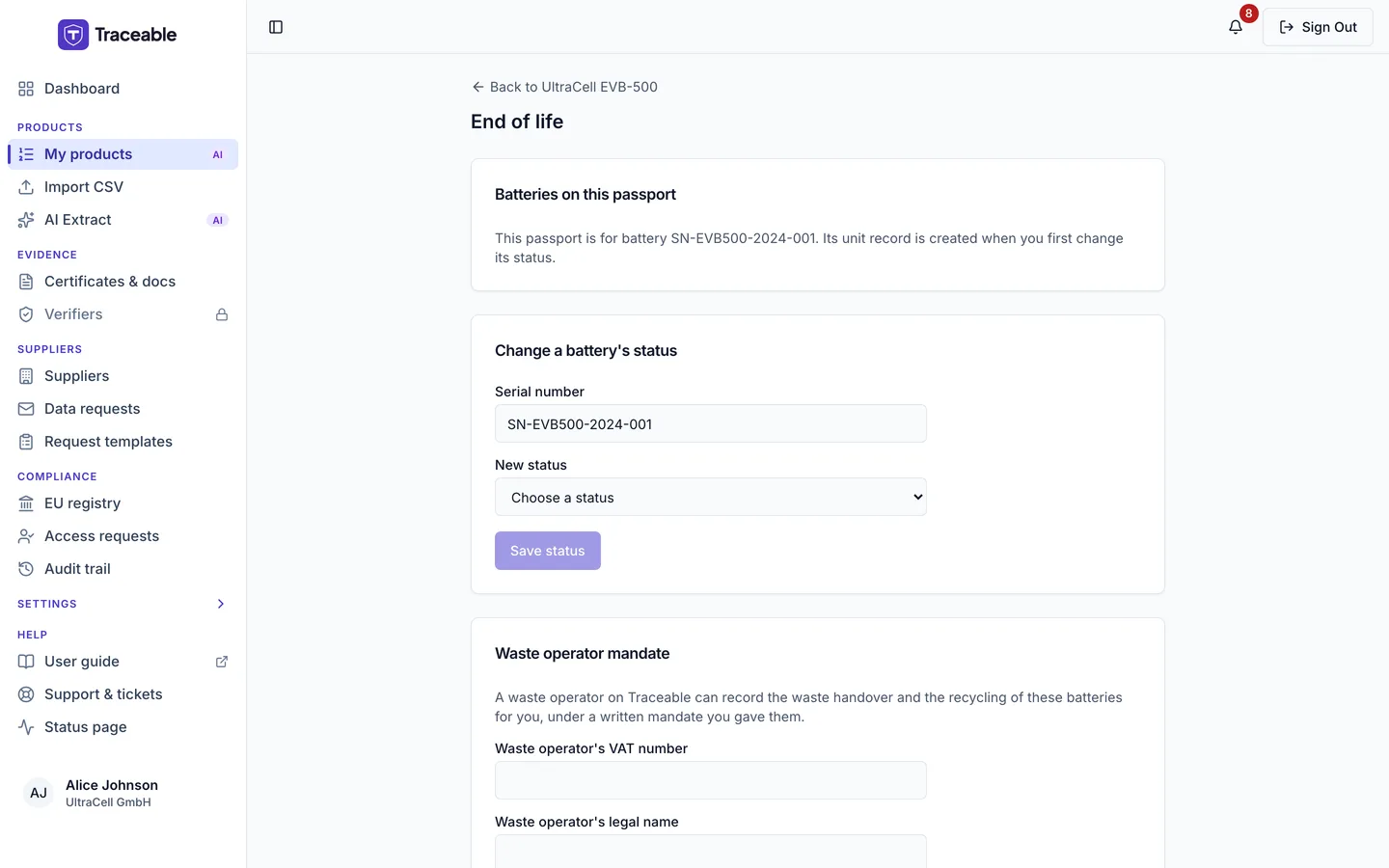
The End of life page.
Open the page
- Open the product page of an Approved, Deprecated or Withdrawn product.
- Open More and choose End of life.
The page is headed "End of life", with a link back to the product. The End of life item is not offered for a Draft or Submitted product, or in a support session. If you reach the page for a product that is not published, it says "Battery status and mandates can be changed after the passport is published."
| To do this | You need |
|---|---|
| See the page | The View DPPs & Products module |
| Change a battery's status | The Publish DPPs module and an Approver or Admin role |
| Give or revoke a mandate | The Publish DPPs module and the Admin role |
Batteries on this passport
The first card lists the batteries of the product. Each line shows the serial number, the status and, where they apply, handed over <date>, recycled <date>, by the waste operator and New passport: <link>.
If the product has no battery rows yet but its own form holds a serial number, the card says "This passport is for battery <serial>. Its unit record is created when you first change its status." If it has neither, the card says "This passport has no battery units yet. Add the battery unit first." See Batteries and QR to add batteries.
Change a battery's status
The card Change a battery's status is shown only to people who may change it.
- Enter the Serial number.
- Choose the New status. The list offers only the moves allowed from the battery's current status.
- If the move needs it, enter the Link to the new passport. It must be a full link starting with https://.
- Select Save status.
The statuses are Original, Re-used, Repurposed, Remanufactured, Waste and Recycled. The allowed moves are:
| From | To |
|---|---|
| Original | Re-used, Repurposed, Remanufactured, Waste |
| Re-used | Waste, Repurposed, Remanufactured |
| Waste | Re-used, Repurposed, Remanufactured, Recycled |
| Repurposed, Remanufactured, Recycled | None. A battery in one of these statuses "cannot change status on this passport". |
The link to the new passport is required for Repurposed and Remanufactured, and for Waste to Re-used. The field says it is "Needed when the battery is repurposed, remanufactured, or prepared for re-use from waste."
Some changes ask you to confirm first:
| Change | Dialog |
|---|---|
| To Repurposed or Remanufactured | "Mark battery <serial> as repurposed?" (or remanufactured). Its public passport will show a link to the new passport you entered. This can't be undone. |
| To Waste, from Original or from a status the page does not know | "Record battery <serial> as waste?" The battery is recorded as waste, handed over today. Only people with a legitimate interest can see this status on its passport. It can't go back to Original. Confirm with Record as waste. |
| To Recycled | "Record battery <serial> as recycled?" The battery's public passport will show a ceased notice, and this can't be undone. You must type the serial number to confirm, then select Record recycling. When no serial is named, you type RECYCLE. |
A move to Re-used needs no confirmation, and neither does a move to Waste from Re-used.
Waste operator mandate
The card Waste operator mandate explains that a waste operator on Traceable can record the waste handover and the recycling of these batteries for you, under a written mandate you gave them. It lists the mandates on this product with the operator's name, your reference, the signing date, the end date and whether the mandate is Active or Revoked.
An Admin can give a new mandate with these fields:
| Field | Note |
|---|---|
| Waste operator's VAT number | |
| Waste operator's legal name | "As registered, matching the VAT number." |
| Mandate reference | |
| Date signed | |
| Valid until (optional) |
Select Give mandate. The form says "We email you a code to confirm the mandate", and asks for that code before it saves. The page then reads "The mandate was saved."
An Admin can also select Revoke on an Active mandate. The dialog "Revoke the mandate for <company>?" says the operator can no longer record the waste handover or the recycling, that what they already recorded stays, and that you can give a new mandate later.
Other roles see "Only a team admin can give or revoke a mandate."