Edit a product
How you edit a product depends on its current publication status. Traceable handles draft and published products differently to ensure that publicly accessible DPPs are never silently changed without a deliberate republication step.
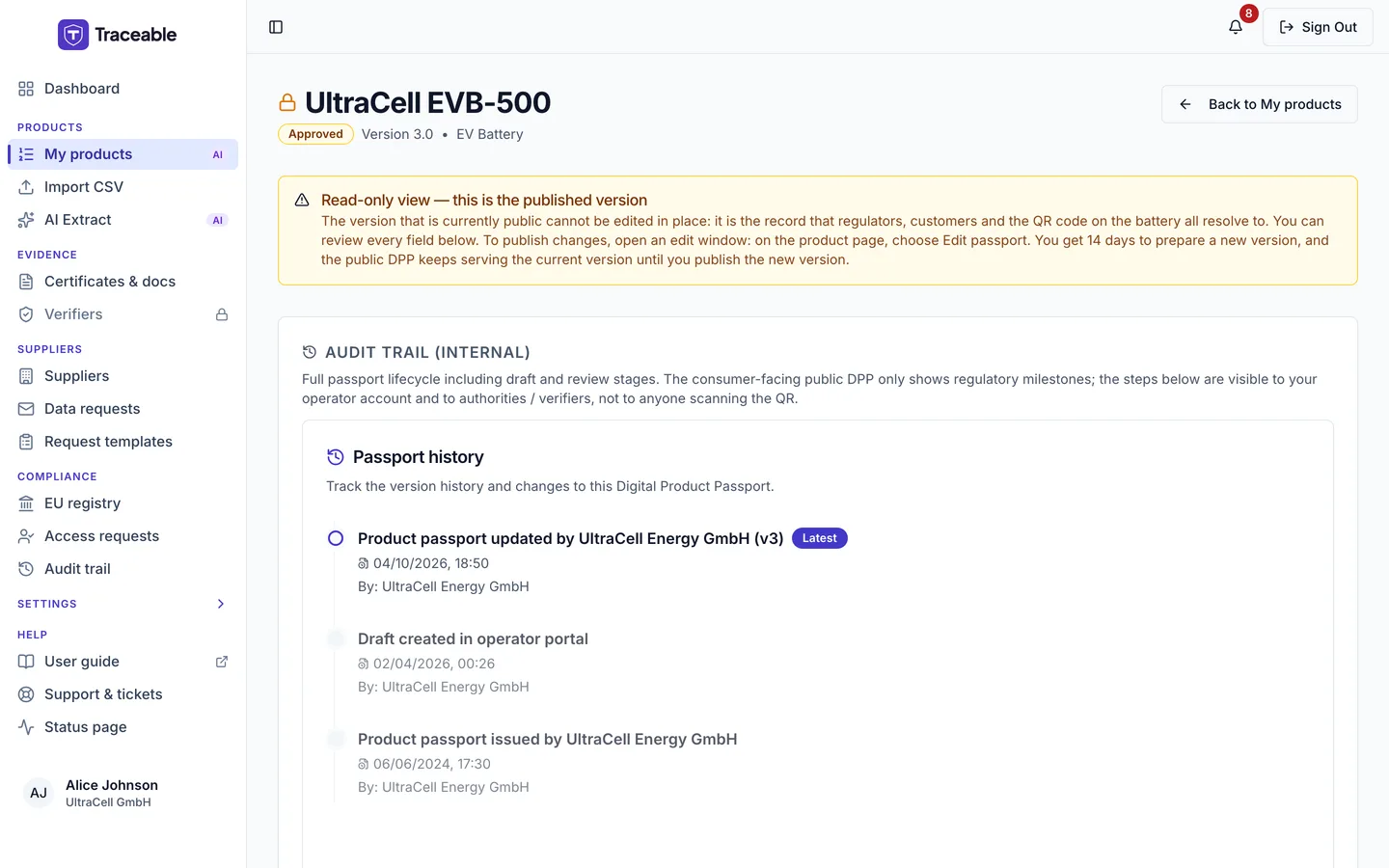
A published passport is read-only. Opening its data shows the record and its history, not an editor.
Editing a Draft Product
Products in Draft status are fully editable without restriction. All fields across all DPP sections can be modified freely.
To edit a draft product:
- Open My products under Products in the sidebar.
- Select the pencil icon (Edit) at the end of the product's row to go straight to the DPP editor. Or select the product name to open its product page, then select Edit in the editor on the Passport data card.
- Make your changes. Your work is saved to your account when you use an explicit action: Next, Previous, or Save & Exit (moving between steps saves the step you are leaving). The edit page says "Progress is saved on each step." There is no background auto-save to your account, so save before leaving a step. The editor also keeps a backup copy in your own browser every few seconds and offers it back if the page is reloaded, but this is not a save to your account.
There is no version history for draft products. The current draft represents the single working copy. If you need to preserve an intermediate draft state, consider exporting the product data before making significant changes.
Editing a published product
A published passport is not editable in place. Its data opens in a read-only view headed Read-only view followed by "this is the published version". To reach it, select View all data on the Passport data card of the product page, or choose View product data in the More menu. The view carries this text:
The version that is currently public cannot be edited in place: it is the record that regulators, customers and the QR code on the battery all resolve to. You can review every field below. To publish changes, open an edit window: on the product page, choose Edit passport. You get 14 days to prepare a new version, and the public DPP keeps serving the current version until you publish the new version.
The page ends with a second notice, Nothing on this page is editable.
So the sequence is:
- Open the product page of the published product.
- Select Edit passport. A dialog titled Re-open product for edits asks "Why are you re-opening? (operator-only audit detail)". Type at least 10 characters (up to 500) and select Open edit window.
- Make your changes within the 14-day window. Select Continue editing to return to the editor.
- Select Publish version N, where N is the next version number, and confirm.
You see Edit passport and Publish version N if you have the Publish DPPs module and an Approver-or-above role. A role that can only edit sees Continue editing while a window is open. The product page shows an Edit window open chip, and the list shows "Edit window closes <date>" under the product name.
While a window is open, the Versions tab shows who opened it and offers Cancel edit window and, for another person's window, Take over. Cancelling, or letting the window expire, reverts every change made in the window. See Versions and edit windows.
Throughout that window the public DPP continues to serve the current published version, so the QR code on a physical battery never resolves to a half-finished edit.
The other actions for a published product are in the More menu of the product page: Duplicate (which needs the Create New Products permission), the two exports for re-import, Deprecate… and Withdraw…. The last two are for Approved products only, are listed below a separator, and each asks you to confirm. See The product page and Publish a DPP.
Some products are locked as demonstration records. Their page shows a Demo product, read only chip and offers no edit path and no destructive action at all, which is deliberate: it keeps the public example passports stable.
Publishing a new version
Publish version N runs the publish checks again before the new version goes live. For battery categories an expired certificate or declaration is reported as a warning rather than a block; for other categories it blocks.
Verification in Traceable is task-based: a verifier reviews the documentation and DPP data for a product and records a decision. If a change materially alters claims that were previously verified, use your judgement (and your compliance team's) on whether to assign a fresh verification task before publishing the new version. For products already on the EU market, publishing a material change without up-to-date verification may create a compliance gap.
Where the previous version goes
The public passport page always shows the current version. The Versions tab of the product page lists each published version number, who published it and the date. Earlier versions are stored as snapshots and can be fetched read-only at /api/dpp/[slug]/v/[version] without signing in.
See Publish a DPP for the gate itself, and The DPP editor, step by step for what each editor step contains.